

Full disclosure before we start: I run The Legal Examiner, and I built publish.law. This piece explains a problem I've watched attorneys run into for years, and then it pitches the tool I built to solve it. You've been warned.
For most of the web's history, a law firm's website was the unit of visibility. You optimized the firm site, you ranked the firm site, and the firm got the call. Individual attorneys were a bio page, a headshot, and a paragraph the marketing department wrote.
AI search changes what gets trusted. When someone asks Google's AI Overview, ChatGPT, or Claude about their own legal problem, the answer increasingly cites the lawyers who have written about it, and it weighs who the writer is: a real person, with real credentials, publishing consistently in an area they clearly know. That's a judgment about a person, not a domain. Writing on the firm site helps, but it's the firm's record: your byline sits inside the firm's framing, next to the firm's practice areas, and stays behind when you leave. What the systems are looking for is a body of work that belongs to you, and that has to live somewhere that's yours. (If you want to see who's being cited in your own area today, here's how to check.)
I've written here before about why third-party publishing and a diverse digital footprint matter for a firm's visibility. This piece is about the other half of the picture: the individual attorney, and what it takes to publish as yourself.
The problem with where your identity lives now
Most attorneys' professional identity is scattered across places they don't control. LinkedIn owns the connection graph and decides who sees what. The directories own the ratings. The firm bio belongs to the firm, reads what the firm wants it to read, and stops where the firm's practice areas and risk tolerance stop. None of those surfaces is built to showcase a body of writing under your name, and almost none of them survive a move to another firm. Even Google is now building follow-the-creator features into search itself, which only raises the stakes on where your name lives. On day one at the new job, the record starts over.
A site at your own address fixes that. The credentials are yours. The writing is yours. The cases that come in through it are credited to you. When you write about a topic the firm doesn't formally practice, or take a position the firm hasn't taken, that's between you and your readers. And when you change firms, the site comes with you.
None of this competes with the firm site. It's one more surface where clients, colleagues, and search systems can find you, and one more path back to the firm.
What I built, and why
I spent a year building publish.law because the existing options were all wrong for lawyers. Website builders assume you'll design something. Blogging platforms assume you'll write essays. LinkedIn assumes you'll stay on LinkedIn. What an attorney actually needs is narrower, and publish.law does exactly that and nothing else:
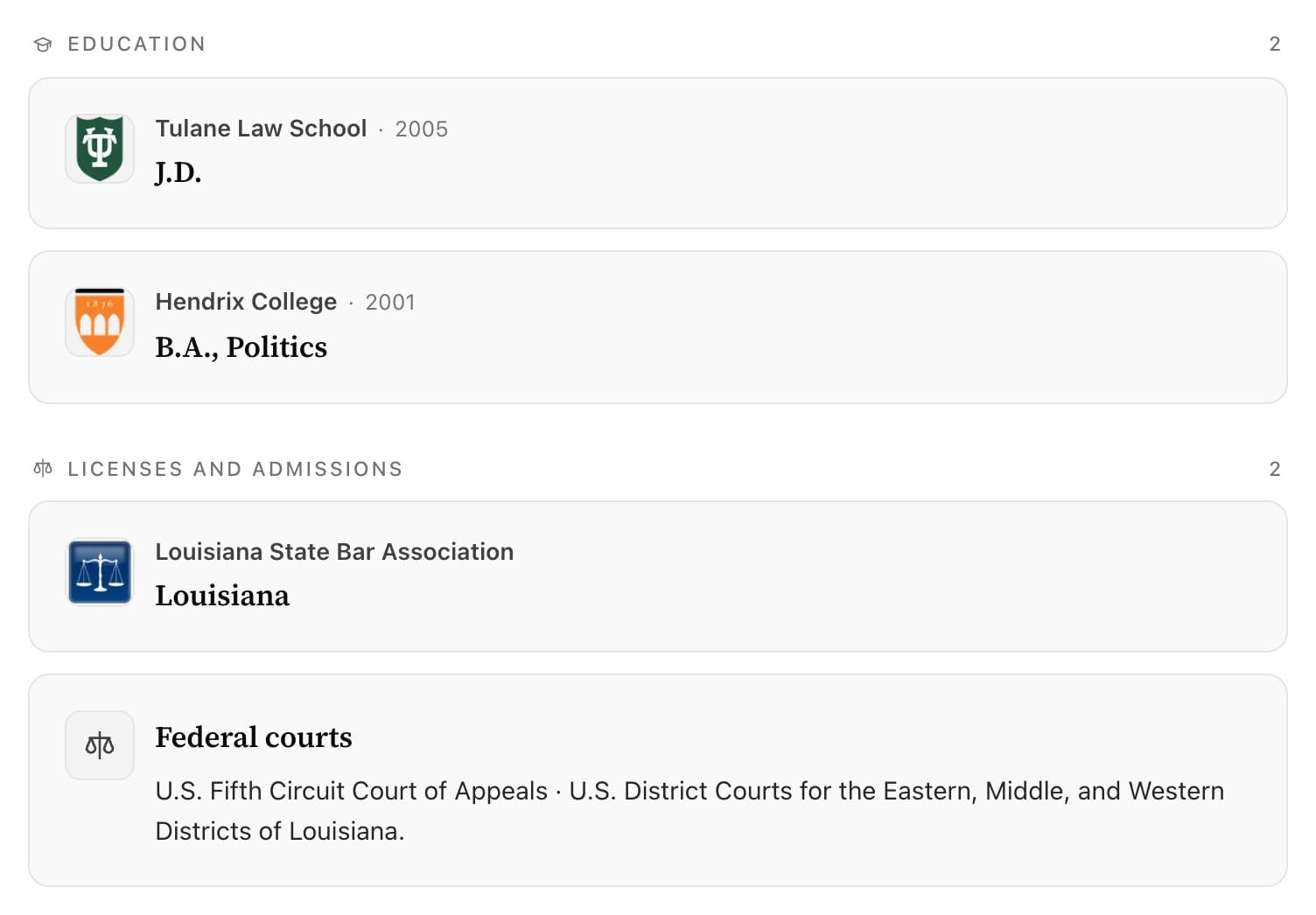
A profile that reads like a professional record. Bar admissions, courts, degrees, positions held, the sites you own or write for, and links to your other profiles. Listed as references, structured so a search system can read them, and edited by you. Add one in about the time it takes to type it.
A format you'll actually keep up with. This is where most attorney publishing dies. Posts and pages are heavy: they expect a thesis, an outline, an edit, and a photo. So the thought you have at seven in the morning, reading something that's plainly wrong about your practice area, goes to LinkedIn or nowhere, and your own site stays frozen at last spring.
On publish.law the answer is a Note: a few sentences, optionally with a link that renders as a preview card, or a photo, published under your name in about fifteen seconds. Regularity beats length. A short, specific, sourced take every week does more for your visibility than a brilliant essay once a quarter, and it's exactly the kind of commentary AI assistants digest and cite.
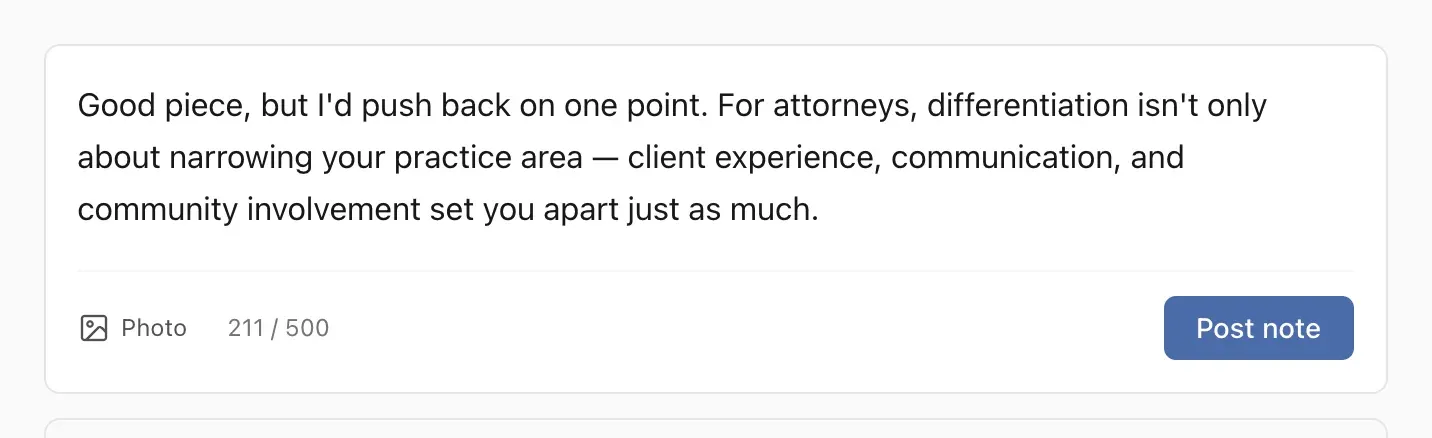
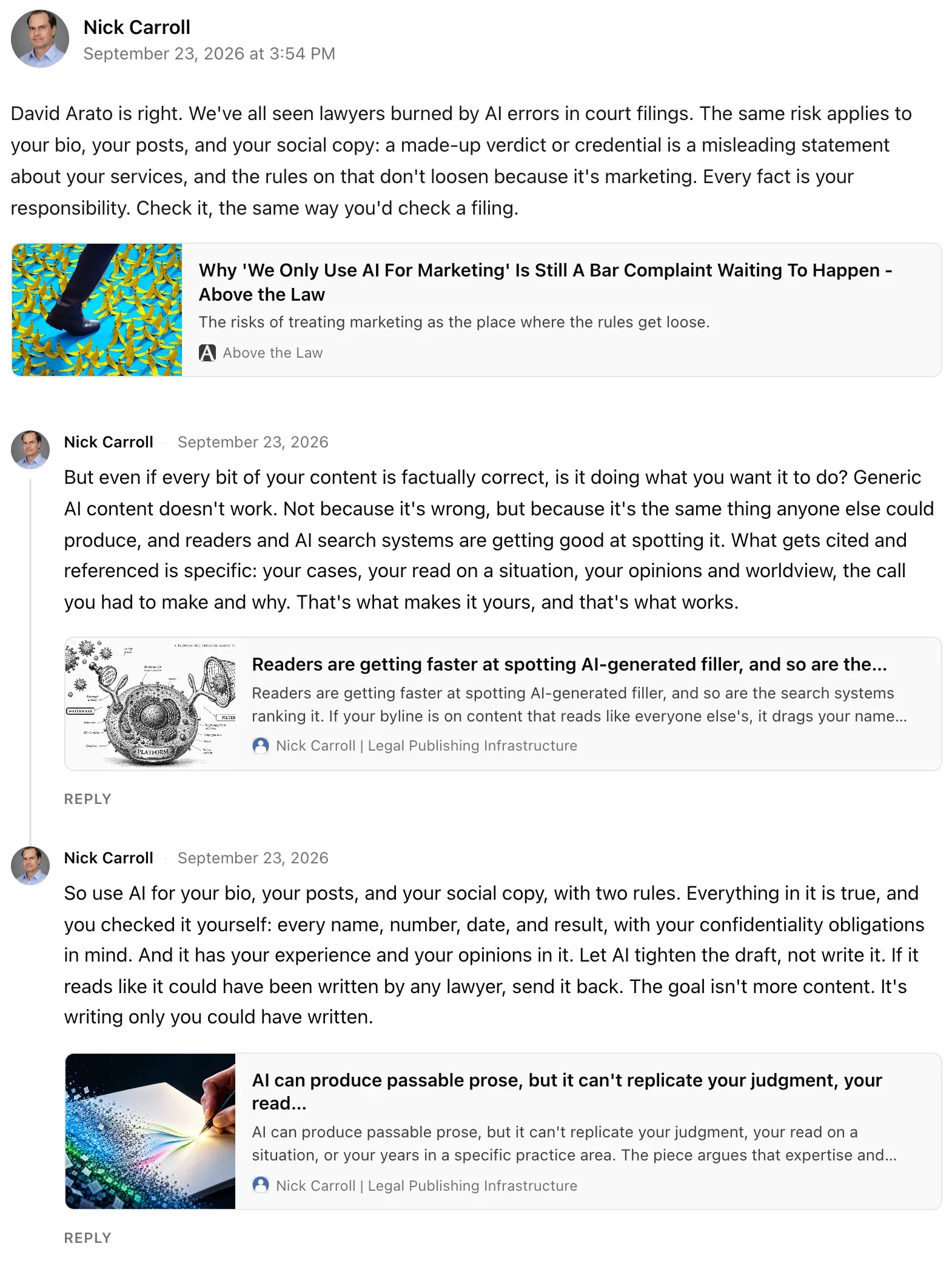
A way to go deeper without writing the long version. As of this month, you can reply to your own Note, and the reply appears underneath it as part of one page: the point, then the context, then the source, then the document that proves it. An appellate ruling in a sentence; what the court held, with a link to the opinion; what it means for a client who was partly at fault; a photo of the two paragraphs that do the work. Three short replies over a morning become an explainer a client can read in two minutes and an assistant can cite. Here's one I posted this week, on what the bar rules actually say about AI in attorney marketing. Other people's replies sit in their own section, and every reply on your page runs through your moderation settings.
A network of your peers. Publishing into a void is demoralizing. On publish.law you follow other attorneys, they follow you, and reposts, replies, and mentions are Notes too. Every one of those is a small act of publishing and a real link between two legal sites, which is the raw material search systems use to decide who's connected to whom.
The plumbing you shouldn't have to think about. Structured data on everything, RSS, a sitemap, a share card for every page, an ad-free site at your own domain if you want one, and a contact page with an ABA-aligned disclaimer. It's all there on day one. You never touch it.
Let your assistant do the admin
The part I'm most pleased with is the least glamorous. A professional site goes stale one skipped update at a time: the bar admission you didn't add because it meant hunting through settings, the note you didn't post because it meant opening another tab.
If you already use Claude or ChatGPT during the day, your publish.law site can now meet you there. Connect it once, and you can say "add my new court admission," "post this note tomorrow morning," or "what's happened on my site this week," and it happens. It's not an AI lawyer, and it doesn't write your content; it does the website-admin part so the site stays alive. Access is scoped to your own account and revocable from your settings at any time, and the sensitive controls, billing, login, deletion, stay in the dashboard.
A note on AI and your writing
Since the subject will come up: yes, use AI to help you write your bio and your posts. Two rules. Everything in it is true, and you checked every name, number, date, and result yourself, because a made-up verdict in a bio is a misleading statement about your services no matter who typed it. And it has your experience and your opinions in it. Generic AI content doesn't work, not because it's wrong but because it's the same thing anyone else could produce, and readers and search systems are both getting good at spotting it. What gets cited is specific: your cases, your read on a situation, your view. If it reads like it could have been written by any lawyer, send it back.
What it costs
The Free plan is free for life, no credit card: your site at yourname.publish.law, the full profile and credentials, Notes and threads, the network, and the assistant connection. That's a working professional site under your name, and for a lot of attorneys it's all they'll ever need.
Pro is $29 a month billed yearly (or $36 month to month) and moves the site to your own domain, ad-free, with an appearance editor and a contact page that routes inquiries to your inbox. Pro+ is $79 a month billed yearly ($99 month to month) and adds the full publishing platform: long-form posts, pages, categories, navigation, and a newsletter with subscribers. Every plan sits on the same site, so you can start free and upgrade the day you need a feature. Details are on the pricing page.
Where to start
Claim your name, add two or three credentials, and post one Note about something you read this week. Twenty minutes, start to finish. You can see what it looks like in practice on my own site, and on the sites of attorneys already publishing this way: Brandon Smith, Jed Cain, and Jessica Pride.
The firm site will keep doing its job. This is the part of your professional presence that's yours, and it gets found.


